Field Mapping
Customize field names sent to your server. Field names apply to both POST (JSON body) and GET (query parameters) requests.
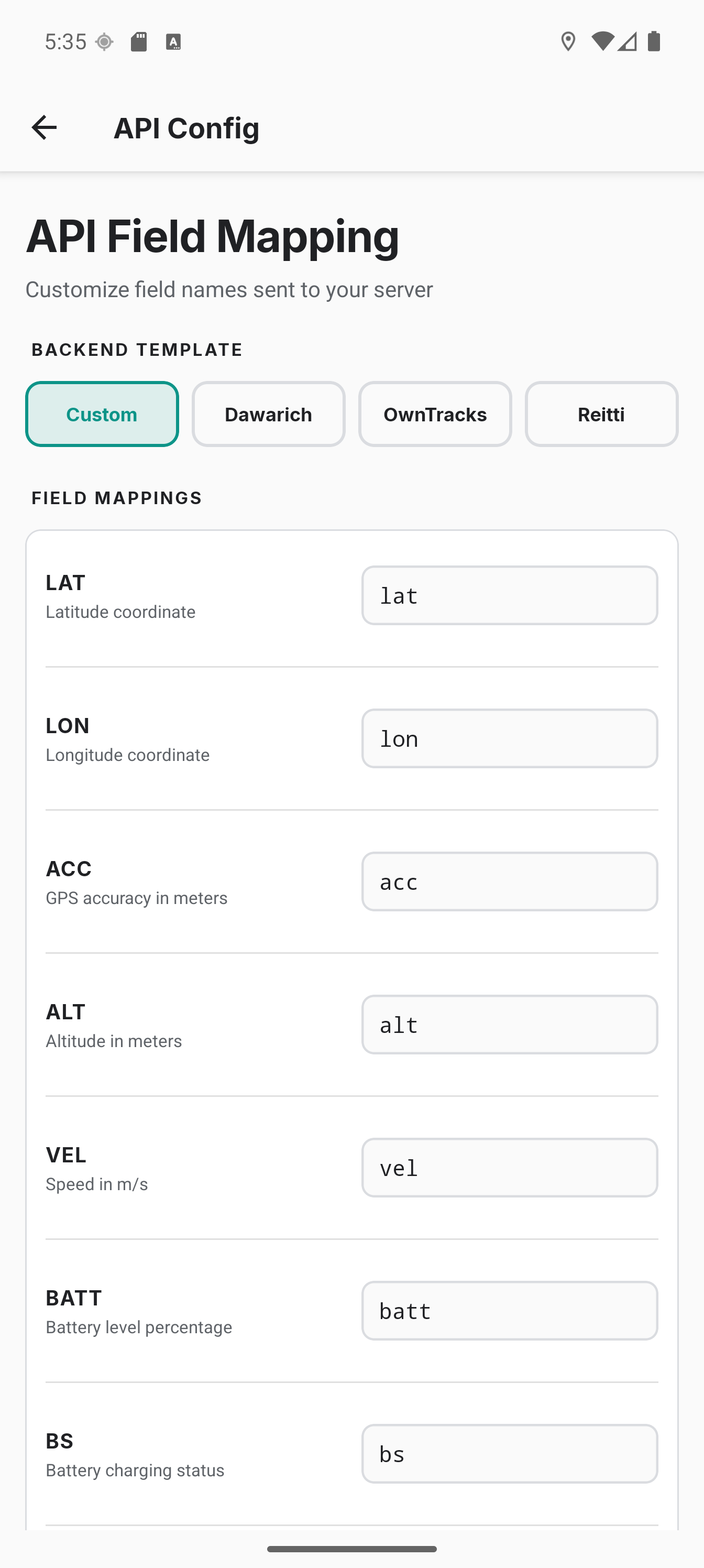
Default Fields
| Field | Description | Required |
|---|---|---|
lat | Latitude (Double) | Yes |
lon | Longitude (Double) | Yes |
acc | Accuracy in meters (Integer, rounded) | Yes |
alt | Altitude in meters (Integer, rounded) | Only if device has altitude |
vel | Speed in m/s (Double, 1 decimal) | Only if device has speed |
batt | Battery level 0–100 (Integer) | Yes |
bs | Battery status: 0=unknown, 1=unplugged, 2=charging, 3=full | Yes |
tst | Timestamp in Unix seconds (Long, not milliseconds) | Yes |
bear | Bearing in degrees 0–360 (Double) | Only if device has bearing |
Custom Mapping
You can rename any field to match your backend. For example:
// Default mapping
{
  "lat": 48.1351,
  "lon": 11.5820,
  "acc": 12
}

// Custom mapping
{
  "latitude": 48.1351,
  "longitude": 11.5820,
  "accuracy_m": 12,
  "timestamp_unix": 1704067200
}
Configure field names in Settings → Connection → Request format → Field mappings.
Custom Static Fields
Add arbitrary key-value pairs that are included in every API payload. For example, adding _type: "location" for OwnTracks-compatible backends.
Configure in Settings → Connection → Request format → Custom fields.
Note: Custom field values are always sent as strings. Custom fields are added to the payload before location fields - if a custom field key matches a location field key, the location field takes precedence.