Sync Presets
Colota includes built-in presets that configure interval, movement threshold, sync interval and retry interval together. Each row on the screen prints its fix rate, its sync cadence and what it costs.
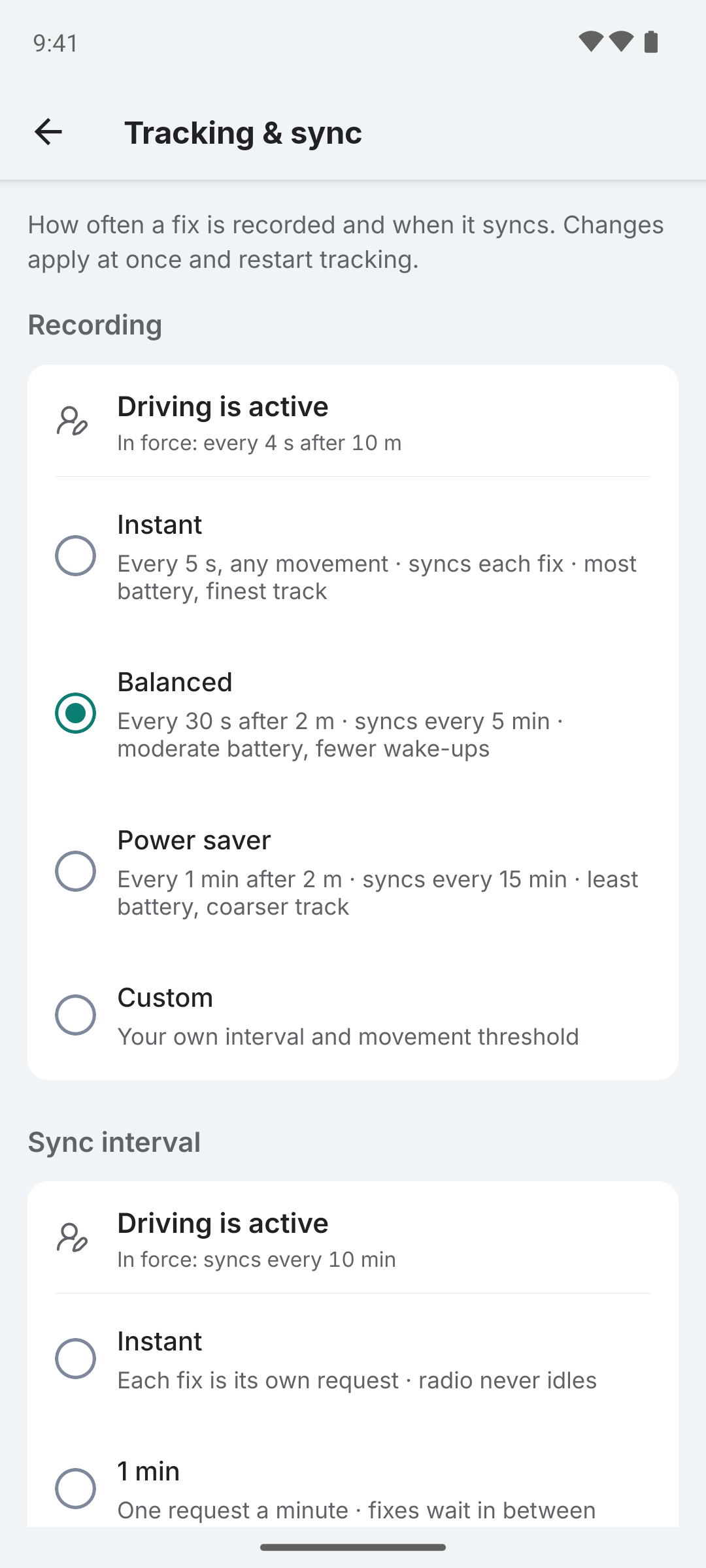
| Preset | Interval | Distance | Sync interval | Retry interval | Cost |
|---|---|---|---|---|---|
| Instant | 5 s | 0 m | Each fix | 30 s | Most battery, finest track |
| Balanced | 30 s | 2 m | 5 min | 5 min | Moderate battery, fewer wake-ups |
| Power saver | 60 s | 2 m | 15 min | 15 min | Least battery, coarser track |
| Custom | 1 s-∞ | 0 m-∞ | 0 s-∞ | last preset's | Printed from the numbers you set |
Select a preset in Settings → Tracking & sync → Recording or choose Custom to set the interval and movement threshold under it. A preset owns those four values and nothing else: choosing a row in Sync interval or typing an interval there moves the preset to Custom, while the sync condition, the network name, the batch size and the accuracy filter leave it alone. The retry interval is how long a failed sync waits before the next attempt; Custom keeps whichever preset held it last.
If a tracking profile is active it supplies its own sync interval, and the Sync interval group opens with a line naming the profile and the cadence in force.
Sync Condition
Controls when Colota uploads locations. Locations are always recorded and queued locally regardless of this setting.
| Option | Behavior |
|---|---|
| Any network | Syncs over mobile data as well as Wi-Fi, counting against your plan (default) |
| Wi-Fi or Ethernet | Syncs only on unmetered networks; fixes wait on mobile data |
| Specific Wi-Fi network | Syncs only on the network you name; nothing syncs until one is named |
| VPN | Syncs only while a VPN is up |
This is useful for:
- Limited mobile data - Avoid using cellular bandwidth for location uploads
- Private backends - Only sync when on your home network or VPN
- Roaming - Prevent expensive data charges while traveling abroad
Configure this in Settings → Tracking & sync → Sync only on. For a specific network, type the name as shown in Wi-Fi settings, or take the one the phone is on from the button under the field.
Offline Mode
In offline mode, the Sync interval and Sync only on groups are hidden since no syncing occurs, and the retry interval in the table above is not used. Preset rows show only their recording values. For displaying the maps network requests are still made to maps.mxd.codes. See Offline maps for predownloading maps.