Offline maps
Download map areas to your device so the map works without an internet connection. Useful when tracking in areas with poor cell coverage - remote trails, backcountry routes, etc.
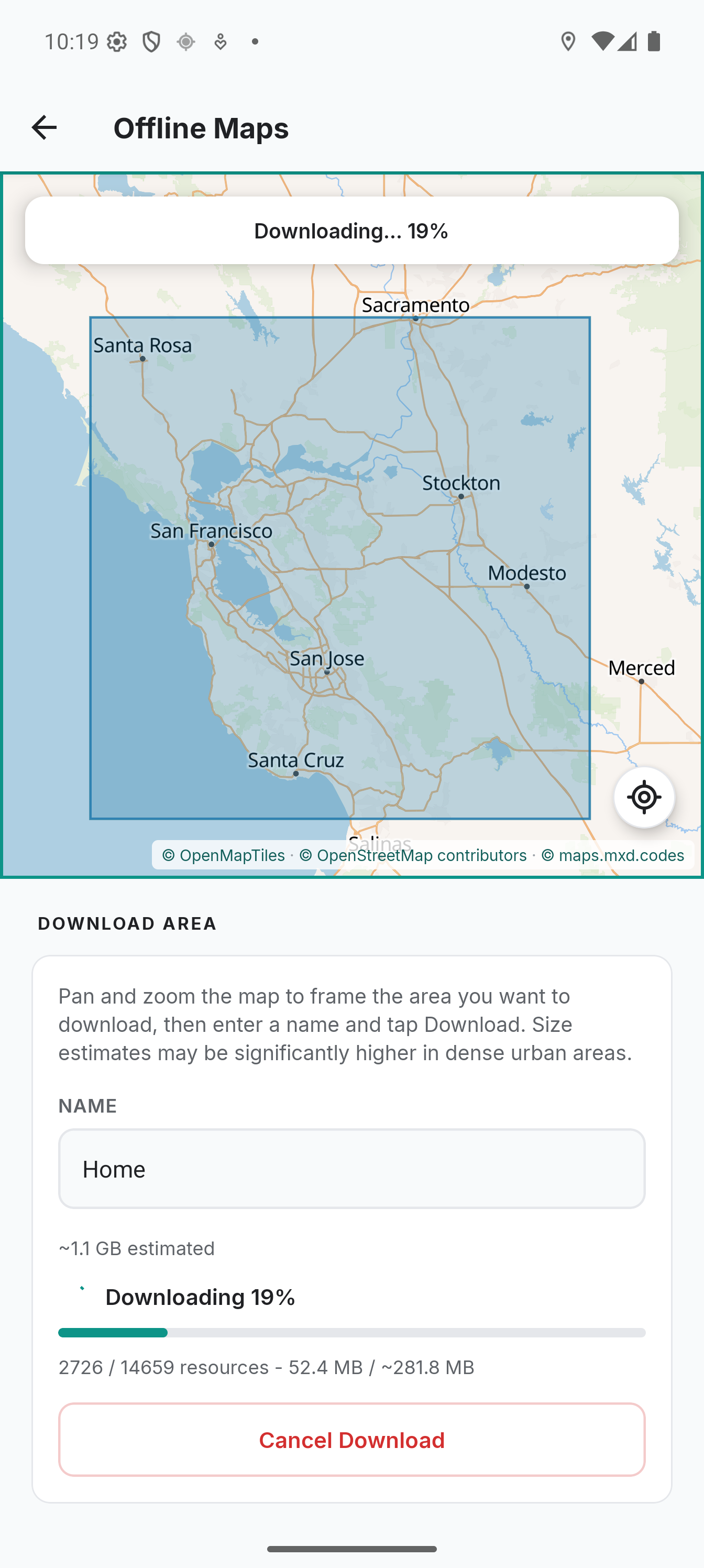
Downloading an Area
- Go to Settings > Offline maps
- Pan and zoom the map to frame the area you want to download
- Tap the location button to return the map to your last recorded position if needed
- Enter a name for the area
- Check the estimated size and tap Download area
The download runs in the background. A progress bar shows the percentage and the bytes so far. You can leave the screen and come back: the download keeps running and the screen picks it up again.
Zoom Levels
Offline packs cover zoom levels 8-14. This matches the maximum resolution served by the default tile server (maps.mxd.codes) and OpenFreeMap. MapLibre uses vector overzooming to render zoom levels above 14 from z14 tiles - you get the same visual detail whether online or offline.
Tile Limit
The size estimate stops counting at 100,000 tiles. Above that the screen says "At least" instead of a figure, and the whole framed area still downloads, so the real size can be well past the estimate. Frame a smaller area, or download several smaller ones instead of one large one.
Storage
Downloaded areas are stored on the device by MapLibre's offline tile cache. They persist across app restarts. The Offline maps screen shows the current size of each saved area and the date each finished.
To free up space, delete areas you no longer need. When the last area is deleted, the tile database is reset, including the map's online tile cache, and the storage is reclaimed by the OS.
Managing Areas
From the Offline maps screen you can:
- See every downloaded area with its size and the date it finished. Tap a row, or its rectangle on the map, to show it
- An area reads Map style changed when it was downloaded from a different light style URL than the one set now, and Incomplete when a download was interrupted. Download again replaces its tiles from the current style
- Delete an area. The confirmation names how much it removes, and whether the map's online cache goes with it
- Start a new download. If you are on mobile data the confirmation says so, and a download that would not fit in free storage is refused with both numbers
Tips
- Download areas before you go - not when you're already out of coverage
- For long routes, download the corridor rather than a large bounding box
- Offline maps only affect map rendering - GPS tracking, sync, and all other features work independently of the map tile cache