Data Export
Export your location history in multiple formats.
Data Export produces shareable, human-readable formats (CSV, GeoJSON, GPX, KML) of your location history. If you instead want a single password-encrypted archive of everything - locations, settings, geofences and credentials - for device migration or offsite storage, use Backup & restore.
Supported Formats
| Format | Extension | Use Case |
|---|---|---|
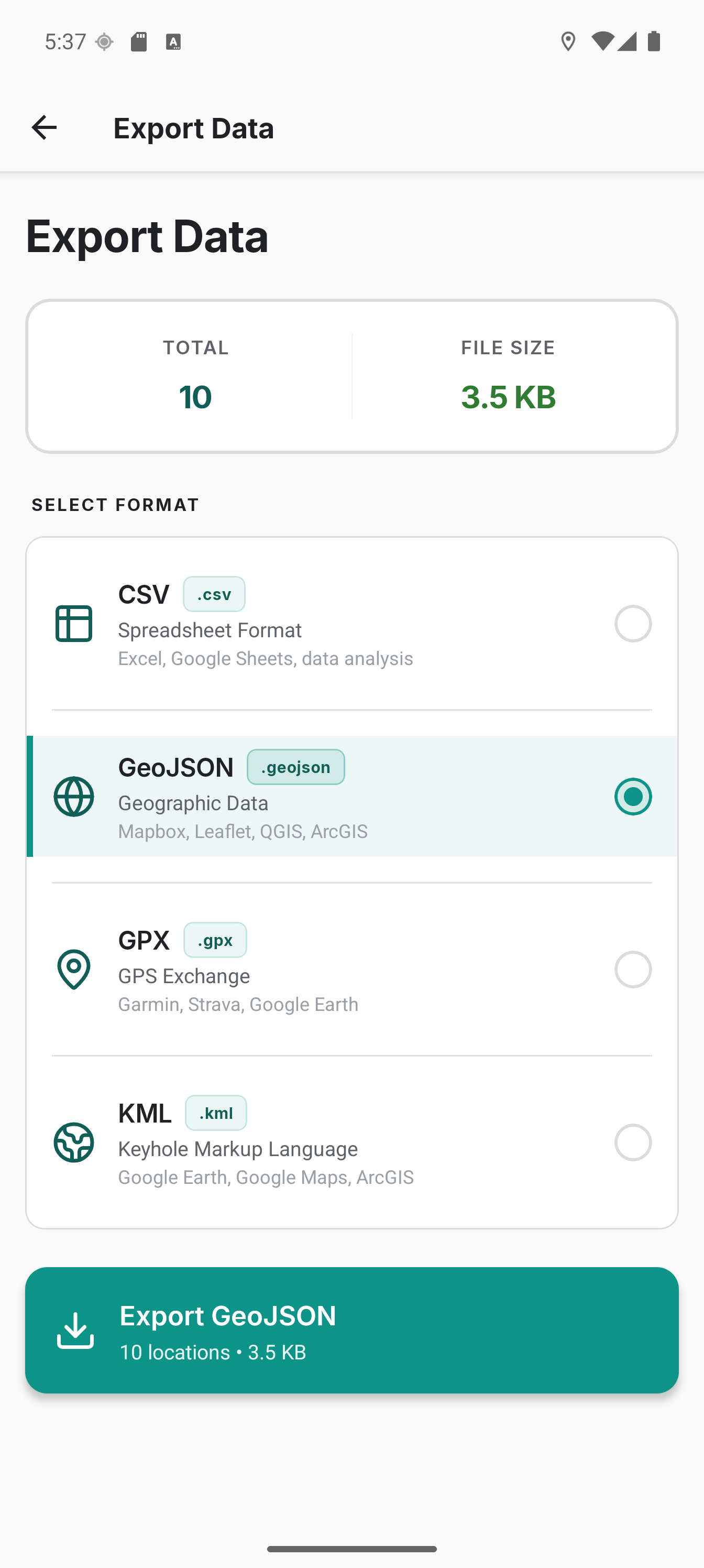
| CSV | .csv | Spreadsheets, data analysis |
| GeoJSON | .geojson | Web mapping, GIS tools. One Point feature per recording, so each point carries its own time and attributes |
| GPX | .gpx | GPS devices, hiking apps |
| KML | .kml | Google Earth, mapping |
Each recording is written as its own feature so mapping tools can read one row and one timestamp per point. That repeats the attribute names on every point, which makes a GeoJSON export roughly twice the size of the other formats. A database of a few million points produces a file of several hundred megabytes. Compressing it recovers most of the difference.
How to Export
Bulk Export
- Go to Settings → Export & import
- Tap Export all locations and pick a format
- Share the file via Android's share menu
Bulk export always covers your full history. To export a subset, use the trip export below.
For exports on a schedule instead of on demand, see Scheduled Export.
Trip Export
Go to the History tab → Trips. There are two ways to export:
- All trips for the day - tap the export icon in the header, pick a format, share.
- A custom selection - long-press a trip to enter selection mode. Tap other trips to add or remove them; Select all is in the selection header's overflow menu. Tap the export icon in the selection header, pick a format, share. Works for a single trip too.
For a single trip you can also tap it to open Trip Detail and use the export icon in the header.
Trip exports include a trip column/property so each location is tagged with its trip number. Custom selections produce a single file containing only the chosen trips.
To remove trips or single points instead of exporting them, see Data management.
Scheduled Export (Auto-export)
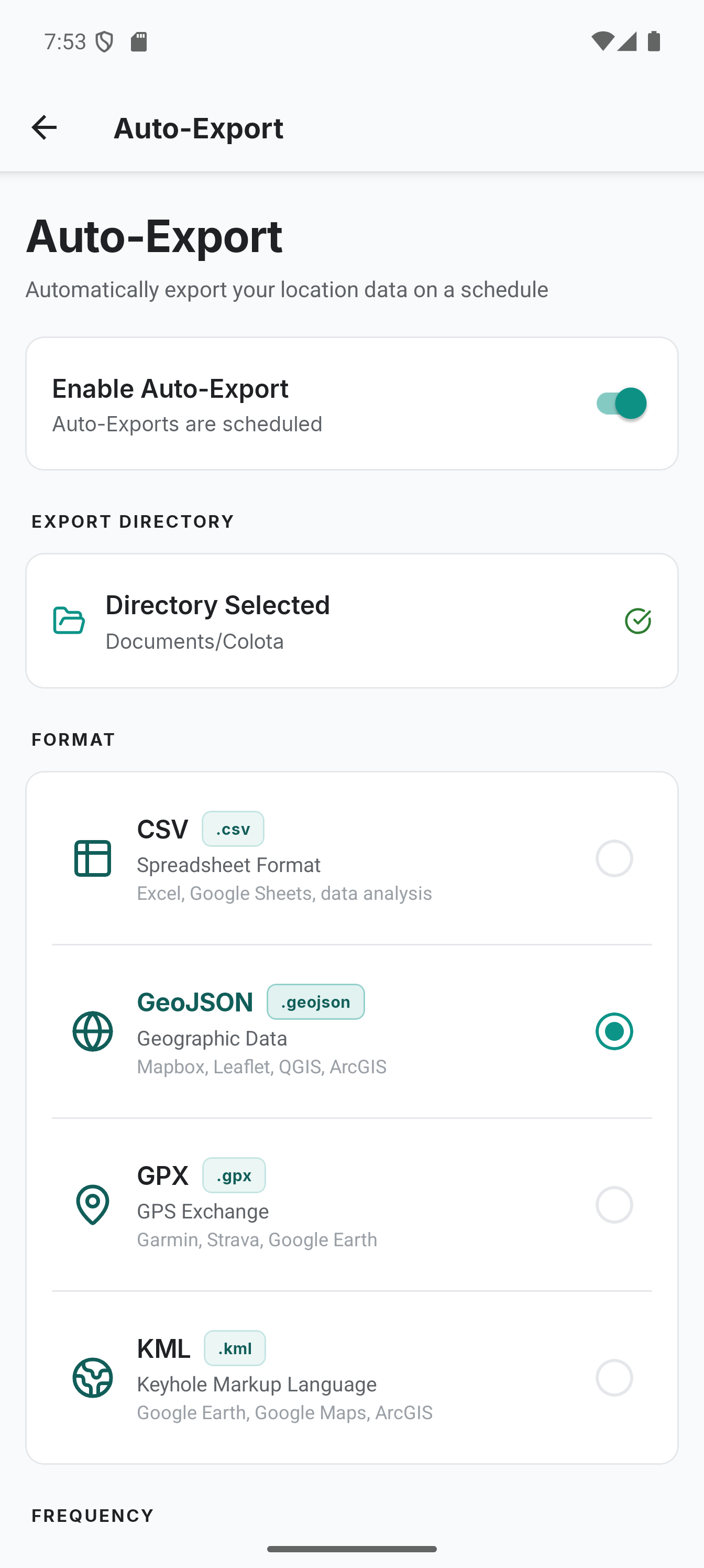
Automatically export your location data on a schedule without opening the app.
Setup
- Go to Settings → Export & import → Automatic export
- Select an export directory (files are saved there via Android's Storage Access Framework)
- Choose a format (CSV, GeoJSON, GPX, or KML)
- Set the frequency: Daily, Weekly, or Monthly
- Pick the Time (24-hour) in your device's local timezone. For Weekly, also pick a day of week. For Monthly, pick a day of month (1-31)
- Enable the toggle
You can also tap Export now to trigger an immediate export using your current auto-export settings, without waiting for the next scheduled run. It works whether or not the toggle is on: the toggle governs the schedule, not the button. A line under the button says the export is running, and it keeps running if you leave the screen.
Export Range
- All data - exports every stored location each time
- Since last export - only exports locations recorded since the previous auto-export
File Retention
By default, auto-export keeps the last 10 export files and deletes older ones automatically. You can change this in the File Retention setting - enter any number or 0 for unlimited (no automatic cleanup).
Retention counts the files your file name template matches, which is what decides its scope:
| Template | Scope |
|---|---|
Contains {device} | Keeps N exports per device model. Other models sharing the folder are untouched. |
No {device} | Keeps N exports per folder, counting every Colota export in it. |
Changing the template also means files exported under the previous one are no longer managed, since retention only recognises names the current template could have produced. Delete those once by hand. The one exception is switching away from the default colota_export_{date}_{time}, whose files stay managed unless the new template contains {device}.
If several devices export into the same folder and none of the templates include {device}, their files are indistinguishable, so each device counts and deletes the others' exports. Add {device} to the file name to separate them.
{device} expands to the device model, not a unique identifier, so two phones of the same model still share a name and still delete each other's exports. Give them distinct prefixes in the template if you run identical models.
How it works
- Uses Android AlarmManager (
setAndAllowWhileIdle) to fire at your configured wall-clock time. Typical accuracy is within minutes; Doze mode may delay by up to ~15 minutes - After each export the next alarm is armed automatically. Alarms also re-arm after device reboot
- Exports fire at the configured time, not on enable. To run an export immediately for testing or backup, tap Export now, which needs only an export directory
- Promotes to a foreground service during export, preventing Android from killing long-running exports
- Streams data in chunks (10,000 locations at a time) to keep memory usage low even with very large datasets
- Writes to a temporary file first, then copies to the export directory - if something goes wrong mid-export, you never get a partial or corrupted file
- After copying, verifies that every byte of the temp file was written before deleting it. The destination is never queried back, so a folder app that registers the new file late cannot fail the export
- Switching auto-export off stops a running export without leaving partial files; a file already being copied to the folder is finished first
- Permanent errors (invalid config, directory access issues) fail immediately; transient errors (I/O failures, a failed database read) retry up to 3 times
- If the selected directory becomes inaccessible (permissions revoked), auto-export disables itself and a notification prompts you to re-select the directory
- A notification is shown after each export with the file name and location count
- Old export files beyond the retention limit are cleaned up after each successful export. Cleanup only considers files matching Colota's own export naming pattern, so unrelated files and subfolders in the directory are never touched
Monthly frequency uses a calendar month (e.g. Jan 15 to Feb 15), not a fixed 30-day interval. If the chosen day-of-month doesn't exist in a given month (e.g. day 31 in February), the export runs on the last day of that month instead. Daily, Weekly and Monthly intervals fire at the chosen wall-clock time via Android AlarmManager. Typical accuracy is within minutes.
File naming
Auto-export files are named from a template you set in File Name. The default is colota_export_{date}_{time}, which produces the same names as before this setting existed, for example colota_export_2026-05-20_0815.geojson.
| Placeholder | Expands to | Example |
|---|---|---|
{date} | Export date, YYYY-MM-DD | 2026-05-20 |
{time} | Export time, HHMM (24h) | 0815 |
{device} | Device model, whitespace removed | Pixel7 |
Anything else in the template is used literally, so a prefix or suffix just gets typed in:
{device}_colota_export-{date}_{time}
produces Pixel7_colota_export-2026-05-20_0815.gpx. The settings screen shows a live preview of the name that will be written.
Every template must contain three things, and the field rejects it otherwise:
colota_export- the marker that lets Colota recognise its own files when enforcing retention. Without it, cleanup could not tell your files from its own. Matching is case-sensitive, soColota_Exportis not accepted.{date}and{time}- together they keep each export uniquely named and let Colota order files chronologically no matter where the timestamp sits in the name.
Other notes:
- The file extension is appended automatically from the selected format. Do not put it in the template.
- Characters that filesystems or sync clients reject (
\ / : * ? " < > |) are removed, as are leading and trailing dots and spaces. - Templates longer than 100 characters are rejected, and
{device}is shortened to 32 characters, so the result stays inside the filesystem's name limit. - If a file of the same name already exists, Android adds a counter (
… (1).gpx). Colota still recognises those as its own.
Manual exports and trip exports are unaffected. Those go through the Android share sheet, where you name the file yourself.
Storage Reference
- ~200 bytes per location
- ~2 MB per 10,000 locations