Appearance
Found under Settings → Appearance. A choice applies as soon as you tap it. The map style URLs are saved when you leave the field.
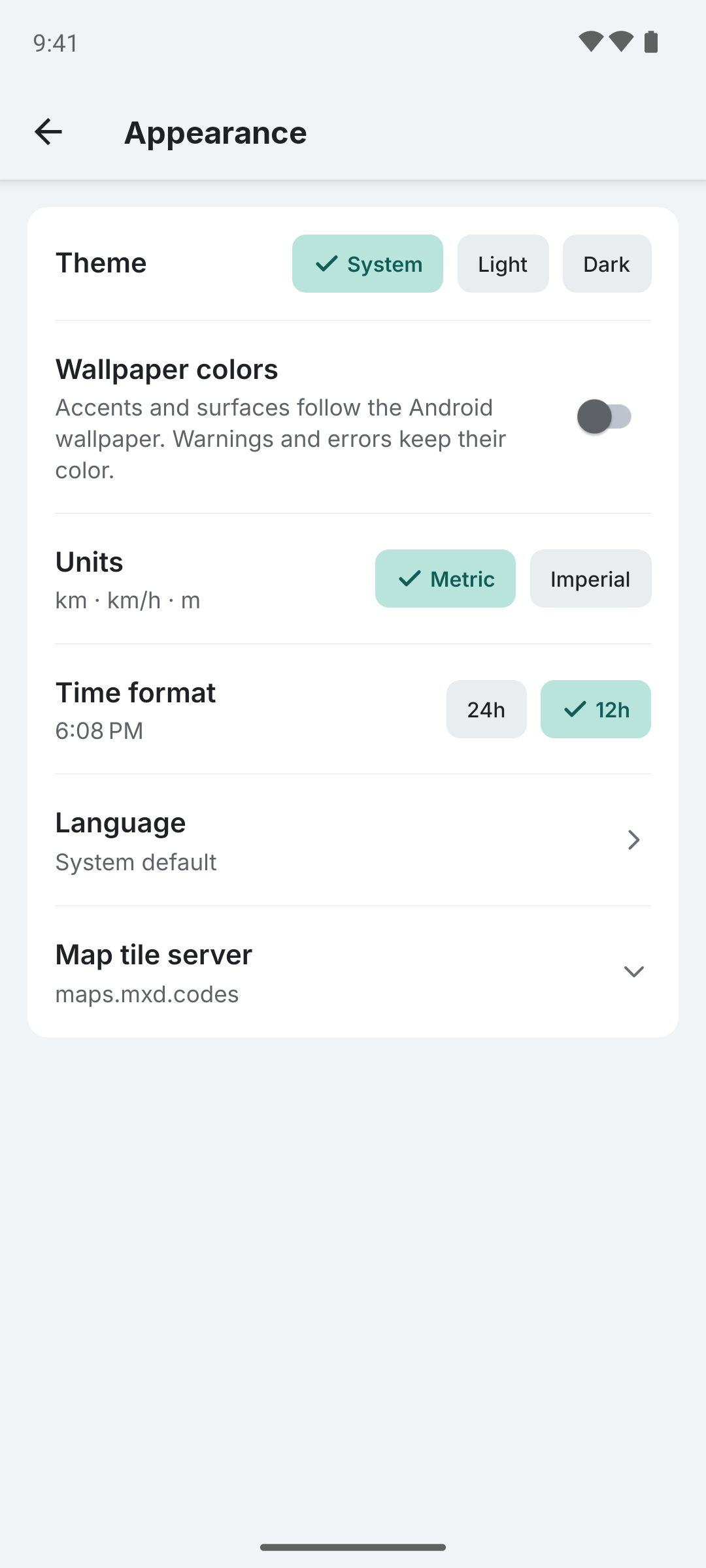
| Setting | Options | Default |
|---|---|---|
| Theme | System / Light / Dark | System |
| Wallpaper colors | On/Off | Off |
| Units | Metric / Imperial | From the device language |
| Time format | 24h / 12h | From the device language |
| Language | System default / each translation | System default |
| Map tile server | Light and dark style URLs | maps.mxd.codes |
Appearance settings are included in a backup, except Language, which Android stores with the app.
Theme
System follows the phone's dark theme setting and changes with it. Light and Dark keep the app in one theme whatever the phone uses. The map loads the dark style in dark theme and the light style otherwise.
Wallpaper Colors
Android 12 and later only. On older versions the row is not shown.
With Wallpaper colors on, accents and surfaces take their colors from the palette Android builds from your wallpaper. It works in light and dark theme alike. Warnings and errors keep their colors, and so do trip colors and the map.
After you change the wallpaper, the new colors appear the next time you return to Colota. The switch stays greyed out until Colota has read the wallpaper palette.
Units
Metric shows kilometers, km/h and meters. Imperial shows miles, mph and feet. The row's hint lists the units in use, and every screen switches at once.
Until you pick one, Colota uses imperial when the device language is English and metric for every other language.
The distance fields in tracking settings follow this choice. See Tracking Settings.
Time Format
The row's hint shows the current time in the chosen format. Until you pick one, Colota follows the clock format of the device language.
Language
Tap Language to pick the app's language. System default follows the phone's language and falls back to English when Colota has no translation for it. Each language is listed in its own words. Screens switch at once; the tracking notification follows on its next update.
On Android 13 and later the same choice is under Android Settings → Apps → Colota → Language.
Messages from the tracking service, such as a failed Test connection, stay in English.
To add a language, see Translations.
Map Tile Server
Tap Map tile server to enter a style URL for light theme and one for dark theme. Leave a field empty to use the default server. A URL that does not start with http:// or https:// and name a host is refused. Reset to default clears both fields.
Offline areas always download from the light style. See Map Tile Server for hosted alternatives and self-hosting.